Running Puppeteer on Cloud Functions (V2): The Fix You Need!
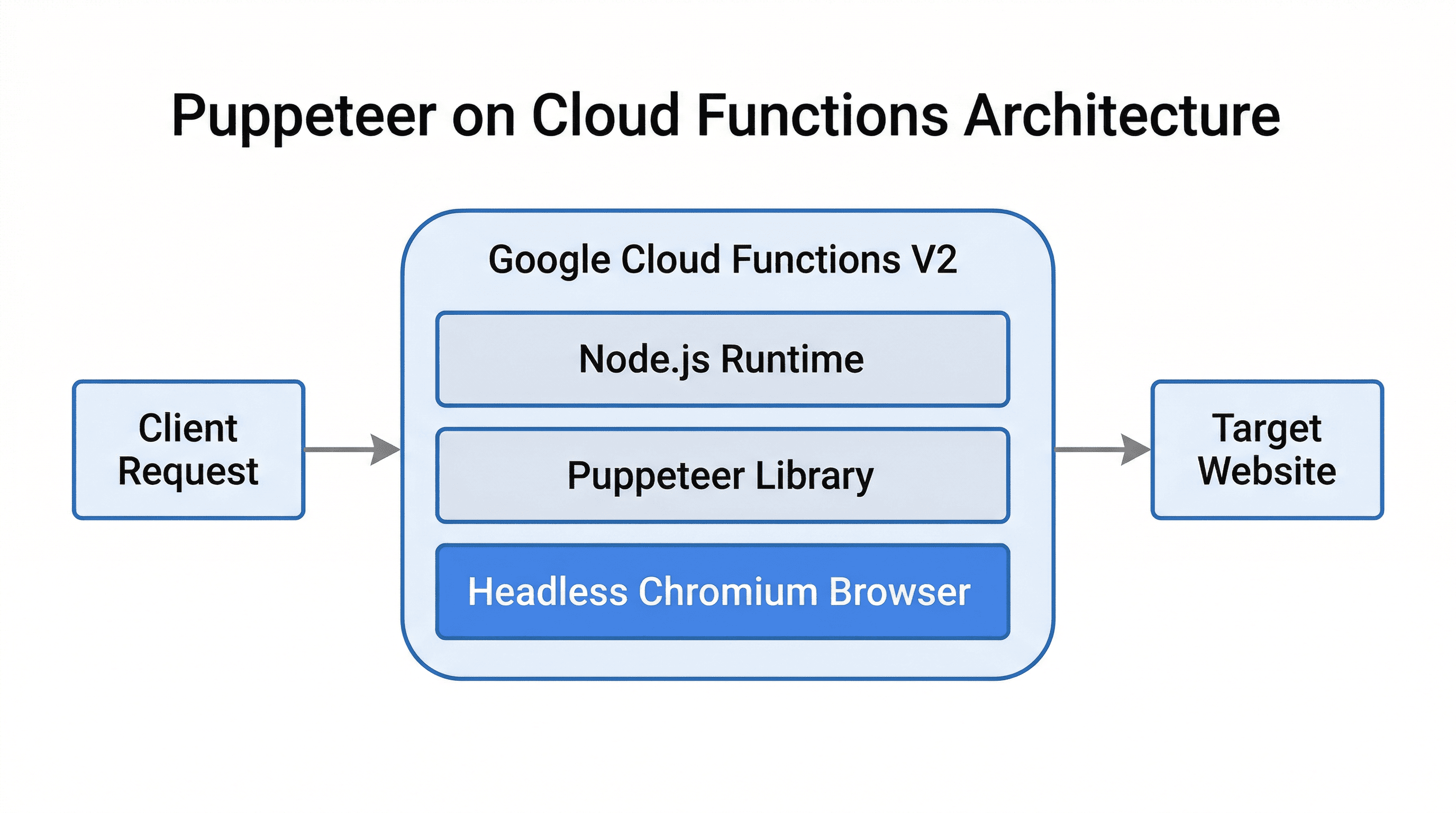
Why Puppeteer Fails on Cloud Functions (V2)?
Running Puppeteer on Firebase Cloud Functions V2 isn't as straightforward as you might think. While Cloud Functions V2 offer more flexibility, Puppeteer can run into issues due to missing dependencies, improper installation, or insufficient memory allocation. The key problems include:
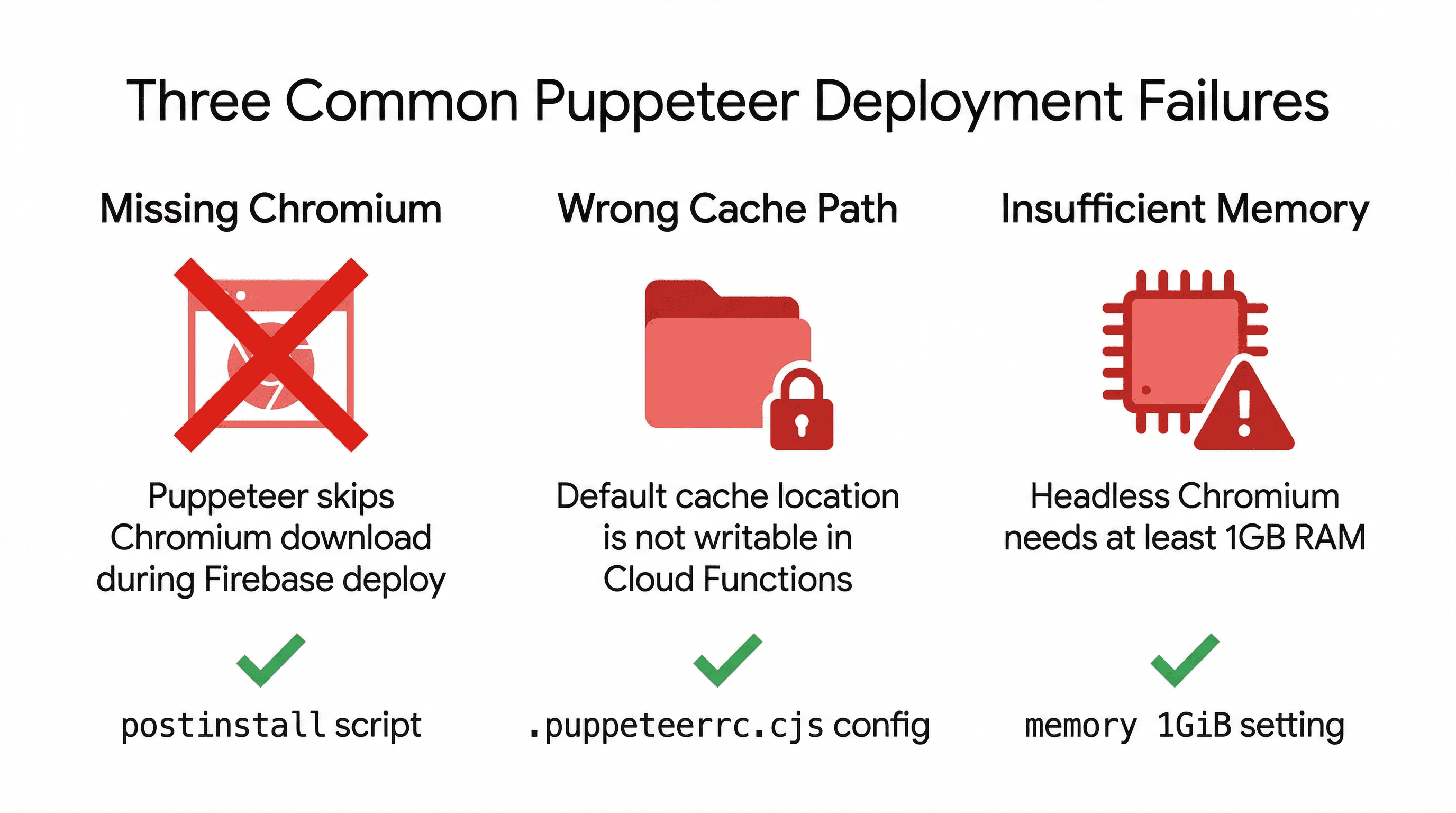
- Puppeteer not being installed properly when deploying
- Missing a cache directory causing instability
- Cloud Functions requiring a minimum memory allocation for headless Chromium
The Fix: Ensuring Proper Installation & Configuration
1. Fixing Puppeteer Installation Issue
Add the following postinstall script to your package.json:
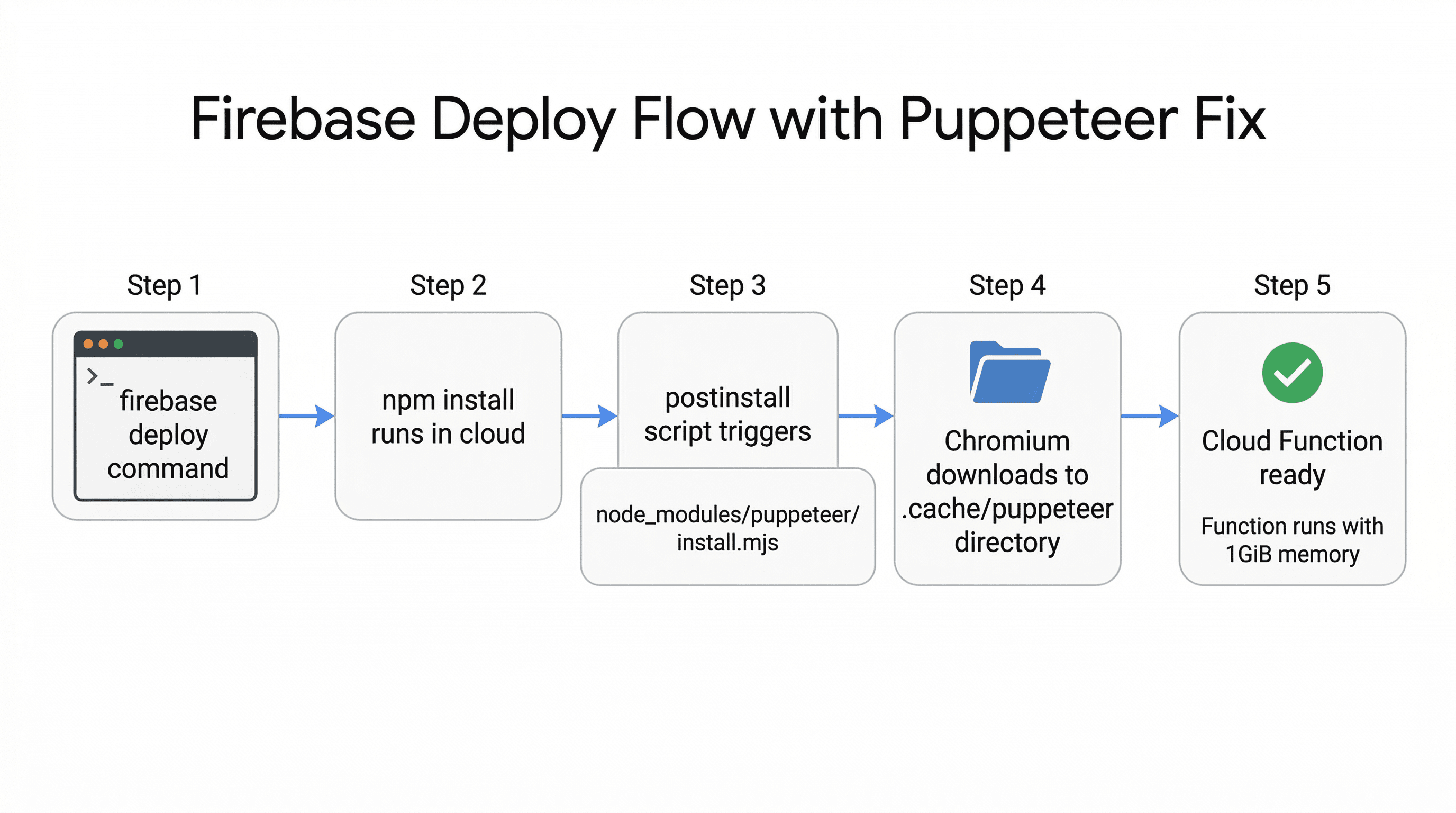
"postinstall": "node node_modules/puppeteer/install.mjs"Puppeteer normally downloads Chromium during installation, but Firebase deployment skips this by default. Adding this postinstall script ensures Puppeteer correctly installs Chromium when deployed.
2. Setting Up .puppeteerrc.cjs
Create a .puppeteerrc.cjs file in the root directory:
const { join } = require("path");

/**
 * @type {import("puppeteer").Configuration}
 */
module.exports = {
  cacheDirectory: join(__dirname, ".cache", "puppeteer"),
};
By default, Puppeteer might store its cache in a location not writable in Firebase. This ensures Puppeteer's cache is stored inside the function directory, preventing permission issues.
3. Allocating Sufficient Memory
Cloud Functions need at least 1GB RAM for Chromium to run properly. Without this, you may see crashes or timeouts. Modify your function like this:
import { onRequest } from "firebase-functions/v2/https";

export const orvirtPuppeteer = onRequest(
  { timeoutSeconds: 400, memory: "1GiB" },
  async (req, res) => {
    // Puppeteer logic here
  }
);
Full Working package.json
Here's how your package.json should look:
{
  "name": "functions",
  "scripts": {
    "build": "tsc",
    "serve": "npm run build && firebase emulators:start --only functions",
    "start": "nodemon --exec npm run build && firebase serve --only functions",
    "shell": "npm run build && firebase functions:shell",
    "deploy": "firebase deploy --only functions",
    "logs": "firebase functions:log",
    "test": "jest",
    "postinstall": "node node_modules/puppeteer/install.mjs"
  },
  "engines": {
    "node": "22"
  },
  "main": "lib/src/index.js",
  "dependencies": {
    ...
    "puppeteer": "^23.6.0"
    ...
  }
}
Conclusion
If you've struggled with running Puppeteer on Firebase Cloud Functions V2, this setup will fix your issues. By optimizing Puppeteer's installation, cache directory, and memory allocation, you can get it running smoothly on Firebase Cloud Functions V2. The key is ensuring proper installation through the postinstall script, setting up a dedicated cache directory, and allocating sufficient memory for Chromium to operate.
More blog posts
